Build a Personalized AI Budget That Fits Real Life

Fast-Track Your Finances: A Personalized Budget Built with AI (Digital Download)
Money management gets easier when a budget matches real life: irregular income, fixed bills, goals, and the habits that quietly derail plans. A personalized approach—supported by guided, AI-inspired questions and clear templates—helps turn vague intentions into a practical weekly and monthly system that can be updated in minutes. Instead of restarting every month, the goal is to build a budget that “holds” even when life gets busy.
What a Personalized Budget Looks Like (and Why Generic Templates Fail)
A personalized budget reflects the actual shape of your finances: the bills that never move, the spending that fluctuates, and the non-monthly costs that show up like clockwork. Generic templates often fail because they assume steady paychecks, predictable expenses, and perfect willpower—three things most households don’t have consistently.
- Real categories: fixed bills, variable spending, sinking funds, and seasonality (holidays, school, travel).
- Decision rules: how much to keep in checking, when to move money, and what to do when a category runs hot.
- Common failure points: unrealistic targets for groceries/dining, missing annual expenses, and no plan for windfalls or surprise costs.
- Better inputs = better outcomes: pay cadence, a bills list, typical spending ranges, and goals tied to dates.
Fast-Track Your Finances eBook: What the Digital Download Helps Set Up
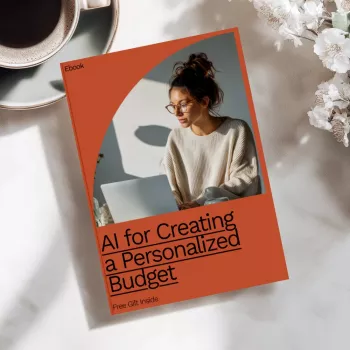
If the hardest part is turning “I need to budget” into an actual working system, the Fast-Track Your Finances: AI for Creating a Personalized Budget eBook | Digital Download for Easy Money Management is designed to help you build a budget around your real numbers and your real schedule.
- Guided steps to create a budget that fits the way money actually comes in and goes out (monthly, biweekly, weekly, or irregular).
- Goal-driven guidance to translate priorities into category targets and timelines (debt payoff, emergency fund, savings goals).
- A clear structure for separating essentials, lifestyle spending, and future expenses without guesswork.
- Built for quick refresh cycles: a weekly check-in and a month-end reset so the budget stays current.
- Digital format supports printing key pages or using the material alongside spreadsheet/app tracking.
For anyone who prefers pen-and-paper notes during the week, pairing a budget system with a simple notebook can make check-ins faster. A light, low-pressure option is the Am I Perfect No Spiral Notebook – Funny Notebook – Best Design Notebook for quick spending notes, bill reminders, and weekly recap lists.
A Simple Workflow: From Bank Statements to Category Targets
A budget gets easier when it’s built from what already happened—not from what “should” happen. The workflow below turns recent transactions into usable targets and a routine you can maintain.
- Capture the must-pay list: rent/mortgage, utilities, insurance, minimum debt payments, subscriptions.
- Set baseline variable ranges: use the last 30–90 days for groceries, gas/transport, dining, personal spending.
- Add sinking funds: car maintenance, gifts, annual fees, back-to-school, medical, travel, home repairs.
- Pick one primary goal at a time: pay down a card, build a starter emergency fund, or stop overdrafts.
- Schedule a weekly money date: reconcile and adjust before the month gets away from you.
If you want a practical baseline for budgeting and savings principles, the Consumer Financial Protection Bureau offers a helpful overview: Consumer Financial Protection Bureau — Budgeting and Savings.
Budgeting Styles Compared (Pick the One That Matches Your Habits)
The “best” budget is the one you’ll actually run every week. If you’ve bounced between methods, it can help to choose based on how you make decisions day-to-day (structure vs. flexibility, cash vs. card, automated vs. hands-on).
| Method | Best for | Watch-outs | Quick setup tip |
|---|---|---|---|
| Zero-based | Hands-on planners and debt payoff | Can feel restrictive without realistic categories | Start with last month’s actuals, then adjust by 5–10% |
| 50/30/20 | A simple first framework | Percent splits may not fit fixed-cost-heavy budgets | Use it as a diagnostic, not a rulebook |
| Envelope system | Impulse spenders and cash-conscious households | Harder with online spending and subscriptions | Create 3–5 envelopes first, not 15 |
| Hybrid | Busy schedules and variable income | Needs clear rules for “leftover” money | Automate bills, then cap 2–3 variable categories |
Setting Up Weekly Check-Ins That Take 10 Minutes
Making the Budget Stick: Automation, Buffers, and Guardrails
For additional foundational financial education resources, FDIC Money Smart is a strong reference library: FDIC — Money Smart (Financial Education).
Who This Digital Download Is Best For
Tools That Pair Well With a Personalized Budget
- A simple notebook: daily spending notes, receipts, or a quick weekly recap when apps feel overwhelming (try the Am I Perfect No Spiral Notebook – Funny Notebook – Best Design Notebook).
- A spreadsheet or budgeting app: category totals and month-to-date tracking.
- Calendar reminders: bill due dates, annual renewals, and sinking-fund contributions.
- A dedicated money folder: digital or paper for statements, insurance documents, and recurring expense references.
FAQ
Does an AI-assisted budget work if income is irregular?
Yes—when it’s built on a baseline (your lowest reliable month) and supported by buffers and sinking funds. A pay-period plan with clear priority rules helps you cover essentials first, then adjust targets up or down when a high or low month hits.
What information is needed to create a personalized budget quickly?
Start with the last 1–3 months of transactions, current balances, bill due dates, minimum debt payments, goal amounts with timelines, and a list of non-monthly expenses. Even imperfect data is enough to begin and refine during weekly check-ins.
Is a digital budget guide useful if a budgeting app is already in use?
Yes—the guide provides the decision framework (categories, targets, rules, and a review routine), while your app handles tracking. Using both together can make the app’s numbers more actionable and easier to maintain month to month.











Leave a comment
You must be logged in to post a comment.